End Of Month Procedure - 1. Debtors
- Craig Mitchell
Important
Closing the Debtors Period at the End of Month
This occurs:-
- After the final Bank Reconciliation is done for the month (normally on the first business day of the next month)
- After running the Debtors Statements (not before)
Post The General ledger.
This is always done first.
Check the Debtors Ledger
- Debtors
- Enquiry
- Accounts
- Aged Trial Balance
- Accounts
- Enquiry
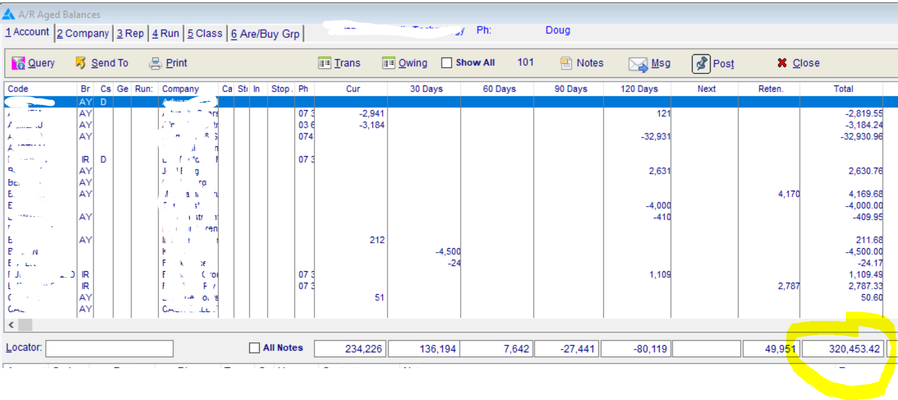
The total debtor balance is at the bottom.
Print the Debtors trial Balance
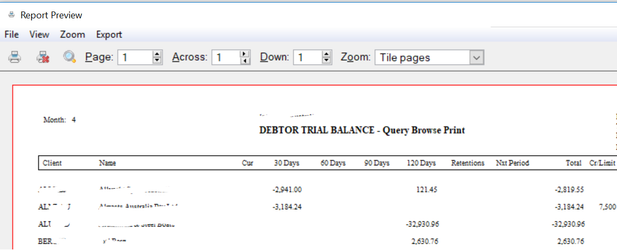
Accountants like to see the Debtors Trial balance, but since Minder is a real time system it's a good idea to print one now, even if its to PDF. You will also normally require this report for inclusion in the monthly board papers.
- Click On Print
Tip
You can print through DB > Enquiry > Accounts > History - Aged Balances after closing if necessary
Check The General Ledger
Important
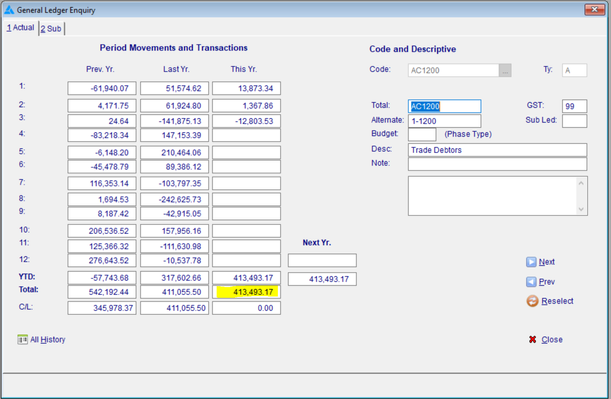
The Debtors Control account, in this case, is AC1200
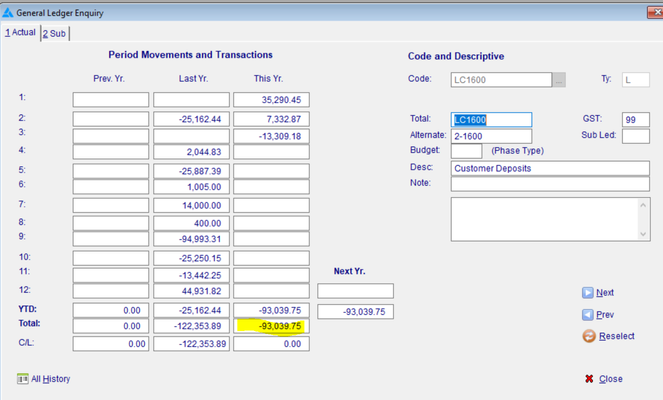
This company also take security Deposits. They are in LC1600
Check The ledgers agree
| Item | Value |
|---|---|
| Debtors Ledger T/Bal | $320,453.42 |
| AC1200 Debtors Cntr Acct | $413,493.17 |
| LC1600 Customer Deposits | ($93,039.75) |
| Total of GL | $320,453.42 |
So we can see that the Debtors Ledger balances with the general ledger, we are good to close the Debtors Period.
Close the Debtors Period
Ensure all users are out of Sales Orders.
- Debtors
- Maintenance
- Period Close
- Maintenance
Side Note
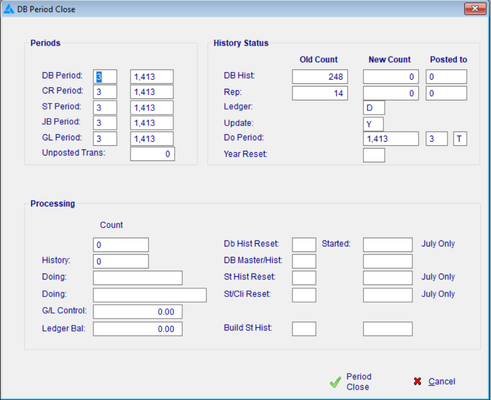
Click on Period Close
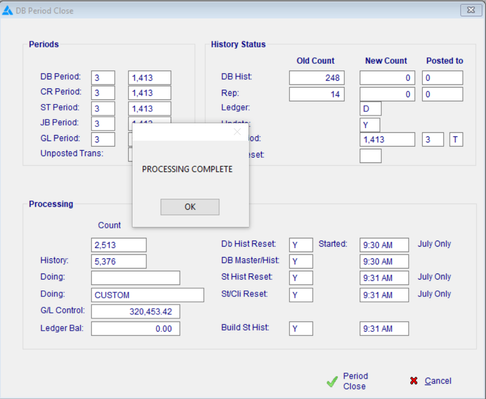
The system will now update the Aged Balances checking as it goes as per what we did manually above, once complete you will be presented with the 'Processing Complete' Message Box, click OK and your done.
DO NOT IGNORE
What to Do if it doesn't Balance
There are several reasons that you won't balance, either a direct posting to one of the control accounts, or an external interruption (power etc) which has affected a posting. In all cases the resolution follows the same steps.
- Check for Direct GL postings
- Re-balance the ledger aged balances
- If that doesn't fix it, contact support.
Check for Direct GL postings
This is the most common reason for imbalances. Direct posting to a control account, that is an account which is used by a ledger, is not encouraged and should be avoided. If you need to have an entry like this is should be to a subsidiary account.
An Example, we have an imbalance and we need to find it.
- GL
- Enquiry
- Enquire Account
- AC1200 (in this case)
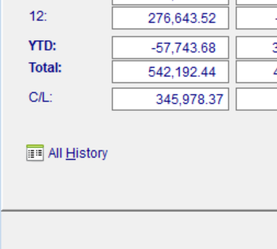
- Click on 'All History'
- Enquiry
This will bring up all the transaction on this account, a big list. Let's use the query filter to find what we need.
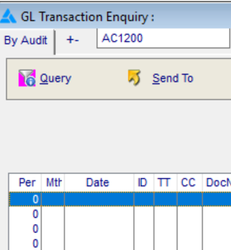
- Rec Type: EJ =
- From Period : 1411 >= (which is July18, but just use whatever period you are interested in)
- Click OK
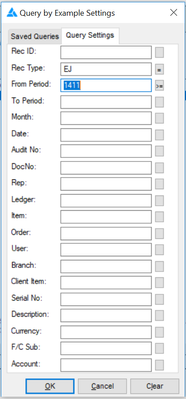
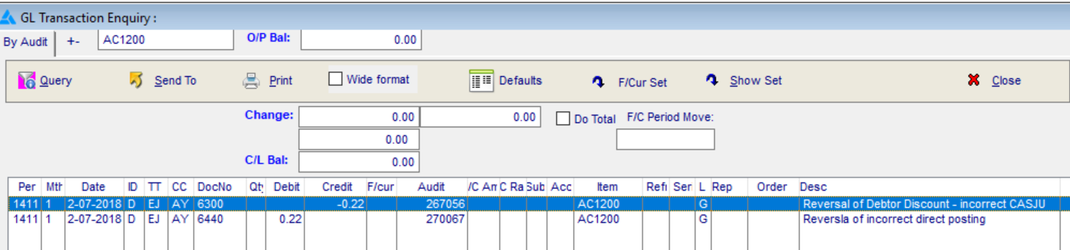
Bingo, we have 2 entries, the first one is an incorrect entry which was fixing the bank account, the 2nd entry is our correction moving the 22c off to a cost account called 'Misc Rounding'.
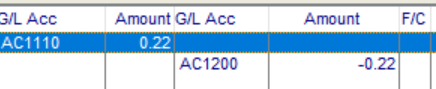
This entry should have been
| AC1110 (Bank Acct) | 0.22 | |
| AY62910 (Misc Rounding) | -0.22 |
Thus avoiding posting directly to the control account.
Re-building the Debtors Ledger Aged Balances
Security
Only a level 2 user is permitted to perform this procedure.
Some important Rules when doing this:-
- NO next period transactions.
- Nobody else in the system, that is do it after hours.
Important
Do not rebuild with next period transactions until after a statement run. The closing balance for the following month's opening balance will be lost.
- Admin
- Global Changes
- Debtors
- Balances
- Aged Balances
- Balances
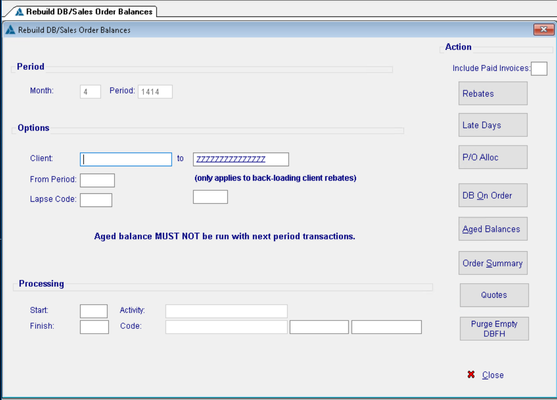
Re-check your Debtors trial Balance.
Contact Support
When the above fails to fix the balancing, contact support.
Related content
Copyright Programmed Network Management PL 2023